PowerToys
Handy power tools for Windows
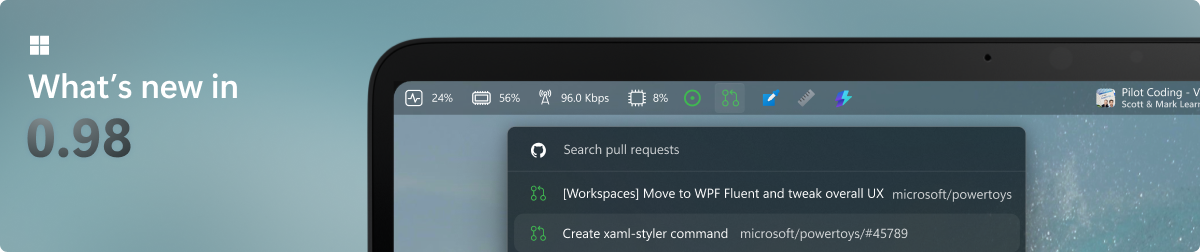
Images from the project's own README.
What it does
PowerToys is a set of utilities from Microsoft that add useful features to Windows: advanced window layouts, a quick launcher, bulk file renaming, a colour picker and more.
Who it's for
Windows users who want to work faster.
Key features
- FancyZones window layouts
- Quick launcher and search
- Bulk rename, image resize and colour picker
Compatibility
NOVI never presents a guess as verified.- WindowsEvidence-supported
Available as an official WinGet package (“Microsoft.PowerToys”).
- macOS (Apple Silicon)Unknown
No official build, package or documentation for this system was found.
- macOS (Intel)Unknown
No official build, package or documentation for this system was found.
- LinuxUnknown
No official build, package or documentation for this system was found.
What do these labels mean?
- Confirmed
- NOVI users have completed verified installations on this system.
- Evidence-supported
- The project publishes an official build or package for this system.
- Inferred
- Likely to work based on how the project is built, but not confirmed.
- Unknown
- We have not found enough evidence either way.
- Unsupported
- The project does not support this system.
How to get it
Direct downloadDownload the official installer from the project or its publisher, then open it. Difficulty: Easy.
WindowsDirect downloadGuided
Download from the official release
File attached to the project's official GitHub release. NOVI links to it; the file comes straight from github.com, not from NOVI. Where this link comes from
- 1
After it downloads. Open the downloaded file (usually in your Downloads folder) and follow the installer. If Windows SmartScreen warns you, check that the file came from the address shown above before choosing to run it.
Install with WinGet
Installs Windows applications using WinGet, Microsoft's package manager included with Windows 10 and 11. You run these steps yourself; NOVI does not install anything from this website.
- 1
Open Windows Terminal or PowerShell. Right-click the Start button and choose Terminal. WinGet is included with Windows 10 (recent updates) and Windows 11; type “winget --version” to check.
- 2
Copy this command and press Enter. It installs the package from Microsoft's official WinGet catalogue. Windows may ask for administrator approval for some installers; only approve it if you trust this software.
winget install --id Microsoft.PowerToys --exact --source winget --accept-package-agreements --accept-source-agreements - 3
Check it worked. The app appears in your Start menu. This command lists it as installed:
winget list --id Microsoft.PowerToys --exact --source winget - 4
See the official package listing. Shows the publisher's installer that WinGet downloads. Open
NOVI never installs software from your browser. Downloads come directly from the project or its publisher. Only install software you trust.
Get it working
A free, personal setup plan for your computer: the official download, exact steps, and a checklist. Saved in your dashboard, with help if you get stuck. NOVI never installs or runs anything on your computer.
Requirements
- WinGet for automatic install — Installs Windows applications using WinGet, Microsoft's package manager included with Windows 10 and 11. The NOVI companion checks whether it is present.
Trust and security
- license
Published under the MIT License (MIT).
Licence detected by GitHub from the repository's licence file. Read the full licence before modifying or redistributing.
Source - distribution
Distributed through WinGet, an established package source.
The package manager checks downloads against a published checksum before installing.
Source
NOVI checks licences, maintenance activity and distribution sources. NOVI has not audited this project's code and does not certify it as secure. Only install software you trust.
Reviews
No reviews yet
Be the first to share your experience with PowerToys. NOVI never shows invented reviews.
Sign in to write a review.
Recent releases
From GitHubv0.103.3151Pre-releaseNov 13, 2026
<!-- BEGIN POWERTOYS PREVIEW AGENT --> # Dev preview v0.103.3151.0 This development preview adds an Awake lock-screen option, redesigns Command Palette's CPU card, and fixes shortcut conflict detection and Mouse Without Borders IP mappings, alongside build and test updates since [v0.103.3131](https://github.com/microsoft/PowerToys/releases/tag/v0.103.3131). ## Installer Hashes | Description | Filename | SHA256 | | --- | --- | --- | | Per user - x64 | [PowerToysUserSetup-0.103.3151.0-x64.exe][ptUserX64] | `CB663FA04B2AAACEDE19CB35013545417A372A16D96A720C8352B411358692AB` | | Per user - ARM64 | [PowerToysUserSetup-0.103.3151.0-arm64.exe][ptUserArm64] | `0A80468C6DC7955ADD69BB48AF5EFF1BF1E15DCFAE92A5EA44F47039491C0D46` | | Machine wide - x64 | [PowerToysSetup-0.103.3151.0-x64.exe][ptMachineX64] | `D96EABA3B4144375DDADB2FC09F09A5432451260825CD52CBB868876DE56F67A` | | Machine wide - ARM64 | [PowerToysSetup-0.103.3151.0-arm64.exe][ptMachineArm64] | `D35191592D6D52DE57F79F5E712BBE2E0DB7AA9FFF4AB3BA38B6541620D4139F` | ## Highlights - **Awake**: Choose whether the Keep screen on request remains active while Windows is locked. - **Command Palette**: The redesigned Performance Monitor CP
Full release notesv0.103.3131Pre-releaseNov 10, 2026
<!-- BEGIN POWERTOYS PREVIEW AGENT --> # Dev preview v0.103.3131.0 This development preview adds JPEG file pasting and richer Adaptive Cards, with fixes for FancyZones, File Locksmith, Keyboard Manager and ZoomIt since [v0.103.3099](https://github.com/microsoft/PowerToys/releases/tag/v0.103.3099). ## Installer Hashes | Description | Filename | SHA256 | | --- | --- | --- | | Per user - x64 | [PowerToysUserSetup-0.103.3131.0-x64.exe][ptUserX64] | `4AC2B54997BA57823A3FD720DCEC01C269F8C06DB2DFFC3EBE1D95EF3830C25B` | | Per user - ARM64 | [PowerToysUserSetup-0.103.3131.0-arm64.exe][ptUserArm64] | `75E8A64CF895F440F60E0F2A4CC6BA9E6071E997A12D7613159B1575181C1B64` | | Machine wide - x64 | [PowerToysSetup-0.103.3131.0-x64.exe][ptMachineX64] | `DE342B73AF2CC87E48D501D3974132F327265063C7867917D21C9DC76C24D88E` | | Machine wide - ARM64 | [PowerToysSetup-0.103.3131.0-arm64.exe][ptMachineArm64] | `0930865EA2D0C3F2FB423F32A516E562F04373F349B80F9F4E5A18826DDCD715` | ## Highlights - **Advanced Paste**: Paste clipboard images as JPEG files with adjustable quality to balance image fidelity and file size. - **Command Palette**: Extension-supplied Adaptive Cards can render native progress bars, ba
Full release notesv0.103.3099Pre-releaseNov 9, 2026
<!-- BEGIN POWERTOYS PREVIEW AGENT --> # Dev preview v0.103.3099.0 This development preview includes Command Palette, File Explorer, Keyboard Manager and Settings improvements, together with startup, packaging and test updates since [v0.103.3062](https://github.com/microsoft/PowerToys/releases/tag/v0.103.3062). ## Installer Hashes | Description | Filename | SHA256 | | --- | --- | --- | | Per user - x64 | [PowerToysUserSetup-0.103.3099.0-x64.exe][ptUserX64] | `4F9935320F058E9412FA4D0FFCE43CCEB73BA56E1F938E987B9947FBAF1F90C3` | | Per user - ARM64 | [PowerToysUserSetup-0.103.3099.0-arm64.exe][ptUserArm64] | `A8E1E29898D65FD1AD95C46C82861579939E88B9B68E98AFC50A37D666E3F03F` | | Machine wide - x64 | [PowerToysSetup-0.103.3099.0-x64.exe][ptMachineX64] | `0C564D379C3F4F41CF354902EA19CC43C8897634E321344CA8BBE04CC943D68E` | | Machine wide - ARM64 | [PowerToysSetup-0.103.3099.0-arm64.exe][ptMachineArm64] | `B114DD2EC9EE6DAF016FAF939CF97C289367FD6F36E455EE466CCAD33078BF00` | ## Highlights - **Command Palette**: Adaptive Cards now follow Fluent themes, accent colors and high-contrast settings. - **Command Palette**: Extension-supplied Adaptive Cards can render native line charts and compa
Full release notesv0.102.3101Nov 6, 2026
# Release v0.102.3101.0 This hotfix release improves File Explorer thumbnail generation, fixes Mouse Without Borders pairing failures, and restores optional diagnostic event reporting. See the [v0.102.2933.0 release notes](https://github.com/microsoft/PowerToys/releases/tag/v0.102.2933.0) for the full list of changes in PowerToys v0.102. ## Installer Hashes | Description | Filename | SHA256 | | --- | --- | --- | | Per user - x64 | [PowerToysUserSetup-0.102.3101.0-x64.exe][ptUserX64] | `4B4C49A31E8B7E6A36647CCD3033ACB0AD56C306595A9409E59865C3C27D1CF2` | | Per user - ARM64 | [PowerToysUserSetup-0.102.3101.0-arm64.exe][ptUserArm64] | `E80D5E784173101BBB4BD95EDE66CF1974C230CA81EBEB16FEBA25FDD5FFCE87` | | Machine wide - x64 | [PowerToysSetup-0.102.3101.0-x64.exe][ptMachineX64] | `F1D24A49346167322EB64A2458BD82810519920D1DA4C0AEB1788E54C345D142` | | Machine wide - ARM64 | [PowerToysSetup-0.102.3101.0-arm64.exe][ptMachineArm64] | `65663AFB8FA77B4DB257BC9494F66AC91A2B063AE0BFE2CD85E9DE958C92EE8B` | ## Highlights This patch addresses three areas since the previous stable release. ### File Explorer - Improved handling of stalled thumbnail renderers, isolated concurrent SVG requests, a
Full release notesv0.102.3001Oct 27, 2026
This hotfix release addresses crashes in File Locksmith and Quick Accent. See the [v0.102.2933.0 release notes](https://github.com/microsoft/PowerToys/releases/tag/v0.102.2933.0) for the full list of changes in PowerToys v0.102. ## Installer Hashes | Description | Filename | SHA256 | | --- | --- | --- | | Per user - x64 | [PowerToysUserSetup-0.102.3001.0-x64.exe][ptUserX64] | `4459B9F1AD5D70A342E109FFB66DBBB08EA07B2D2EC5634B314F878700F9FF0B` | | Per user - ARM64 | [PowerToysUserSetup-0.102.3001.0-arm64.exe][ptUserArm64] | `074208C93541BE77BB6E875D436A8A765E21649F2613196CEE62D9CA936611F2` | | Machine wide - x64 | [PowerToysSetup-0.102.3001.0-x64.exe][ptMachineX64] | `3FB386E628296D6F960F8EFC92B47FAFA9E29C915C5EFD774255A95190DCC87D` | | Machine wide - ARM64 | [PowerToysSetup-0.102.3001.0-arm64.exe][ptMachineArm64] | `1D6A23E643B4E34EA1C3292AD4F8615BC1082AC938B0998D56899264DDA5E2AD` | ## Highlights This patch contains two fixes since the previous stable release. ### File Locksmith - Fixed crashes when File Locksmith encounters a stalled file-handle scan, including crashes after the scan completes, in [#51507](https://github.com/microsoft/PowerToys/pull/51507). ### Quick Accent
Full release notes
Where this information comes from
- Description, audience and features: Written by NOVI editors from the project's README and official website. link
- Statistics, licence and releases: GitHub API link
- Available through WinGet: Official package registry link
- Direct download links: Files attached to the project's official GitHub release v0.102.3101 link
GitHub data last refreshed 3 days ago. PowerToys is the property of its authors. NOVI is not affiliated with this project.