Shotcut
Straightforward video editing for every computer
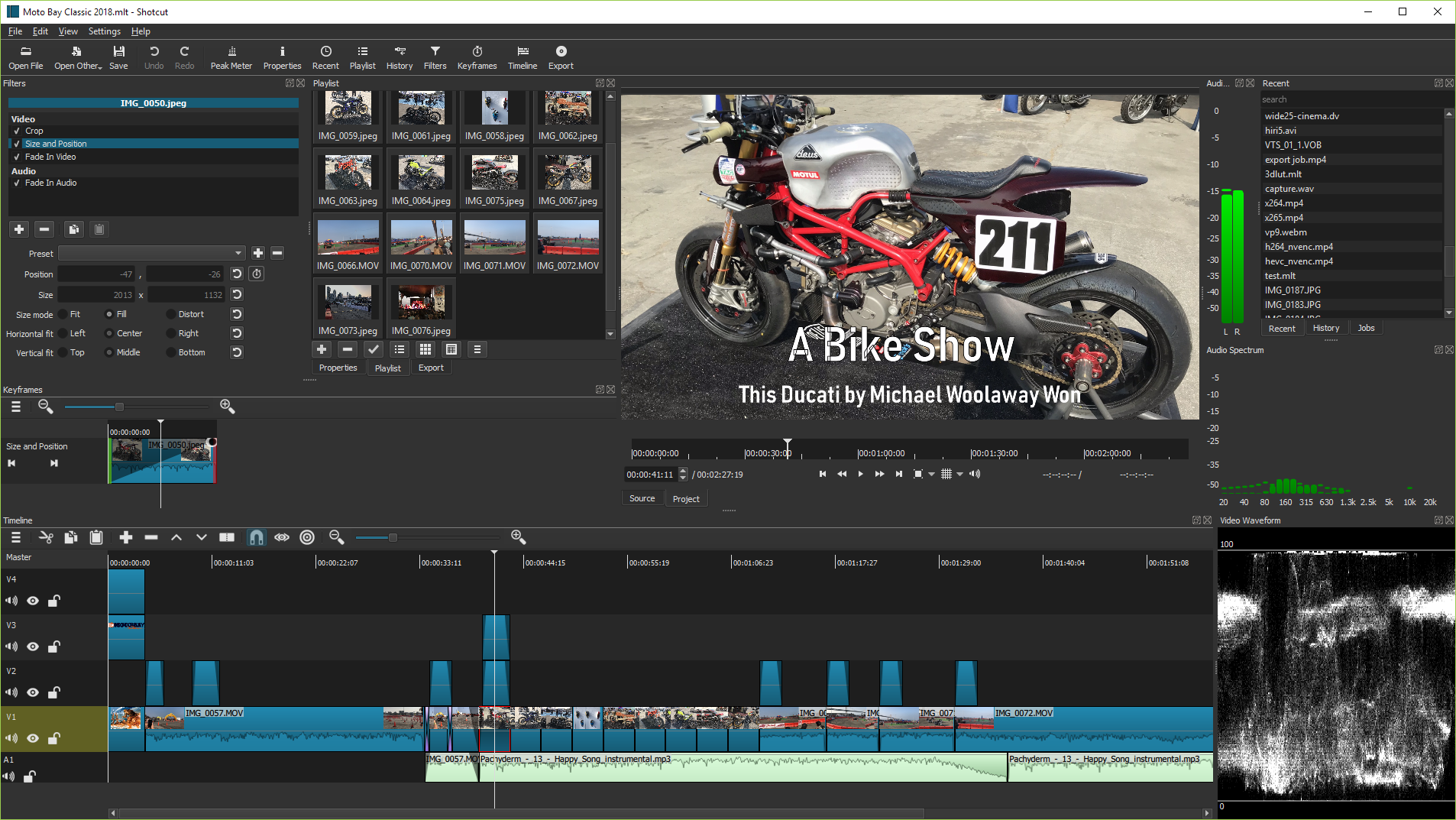
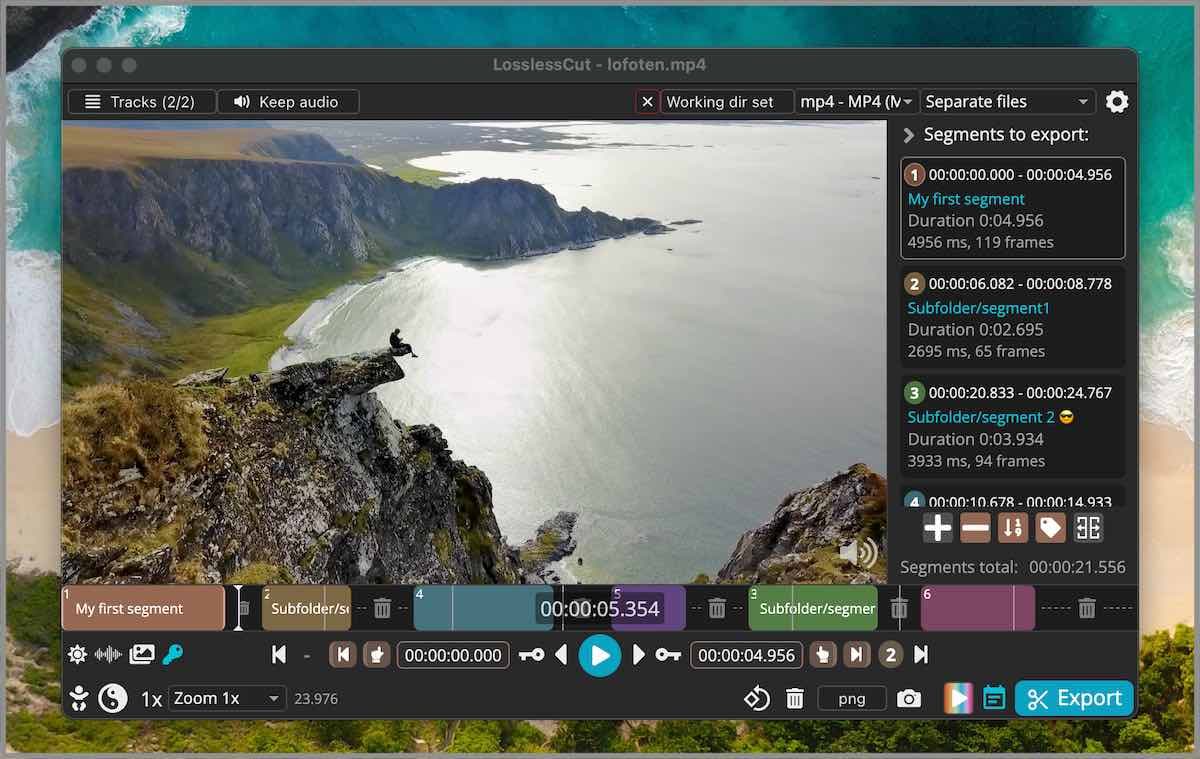
Images from the project's own README.
What it does
Shotcut is a video editor that supports a wide range of formats without importing or converting first. It offers timeline editing, filters and colour correction.
Who it's for
Beginners and hobbyists editing videos for family, school or social media.
Key features
- Edit most formats directly
- Video and audio filters
- Timeline with multiple tracks
Often used instead of: Adobe Premiere Pro, iMovie
Compatibility
NOVI never presents a guess as verified.- WindowsEvidence-supported
Available as an official WinGet package (“Meltytech.Shotcut”).
- macOS (Apple Silicon)Evidence-supported
Available as an official Homebrew Cask package (“shotcut”).
- macOS (Intel)Evidence-supported
Available as an official Homebrew Cask package (“shotcut”).
- LinuxEvidence-supported
Available as an official Flatpak (Flathub) package (“org.shotcut.Shotcut”).
What do these labels mean?
- Confirmed
- NOVI users have completed verified installations on this system.
- Evidence-supported
- The project publishes an official build or package for this system.
- Inferred
- Likely to work based on how the project is built, but not confirmed.
- Unknown
- We have not found enough evidence either way.
- Unsupported
- The project does not support this system.
How to get it
Direct downloadDownload the official installer from the project or its publisher, then open it. Difficulty: Easy.
WindowsDirect downloadGuided
Download from the official release
File attached to the project's official GitHub release. NOVI links to it; the file comes straight from github.com, not from NOVI. Where this link comes from
- 1
After it downloads. Open the downloaded file (usually in your Downloads folder) and follow the installer. If Windows SmartScreen warns you, check that the file came from the address shown above before choosing to run it.
Install with WinGet
Installs Windows applications using WinGet, Microsoft's package manager included with Windows 10 and 11. You run these steps yourself; NOVI does not install anything from this website.
- 1
Open Windows Terminal or PowerShell. Right-click the Start button and choose Terminal. WinGet is included with Windows 10 (recent updates) and Windows 11; type “winget --version” to check.
- 2
Copy this command and press Enter. It installs the package from Microsoft's official WinGet catalogue. Windows may ask for administrator approval for some installers; only approve it if you trust this software.
winget install --id Meltytech.Shotcut --exact --source winget --accept-package-agreements --accept-source-agreements - 3
Check it worked. The app appears in your Start menu. This command lists it as installed:
winget list --id Meltytech.Shotcut --exact --source winget - 4
See the official package listing. Shows the publisher's installer that WinGet downloads. Open
macOS (Apple Silicon)Direct downloadGuided
Download from the official release
File attached to the project's official GitHub release. NOVI links to it; the file comes straight from github.com, not from NOVI. Where this link comes from
- 1
After it downloads. Open the downloaded file from your Downloads folder. For a .dmg, drag the app into Applications; for a .zip, double-click to unpack it, then move the app into Applications. The first time you open it, macOS may ask you to confirm.
Install with Homebrew Cask
Installs macOS applications using Homebrew, a widely used package manager for macOS. You run these steps yourself; NOVI does not install anything from this website.
- 1
Make sure Homebrew is installed. Homebrew is a free, widely used tool for installing software on a Mac. Open the Terminal app and type “brew --version”. If you see a version number you already have it; otherwise follow the one-line instructions on brew.sh. Open
- 2
Copy this command into Terminal and press Return. It installs the package from Homebrew's official catalogue only. Homebrew checks the download against a known checksum.
brew install --cask homebrew/cask/shotcut - 3
Check it worked. The app appears in your Applications folder. You can also run this command to see the installed version:
brew list --cask --versions shotcut - 4
See the official package listing. Shows exactly what Homebrew installs and where it comes from. Open
macOS (Intel)Direct downloadGuided
Download from the official release
File attached to the project's official GitHub release. NOVI links to it; the file comes straight from github.com, not from NOVI. Where this link comes from
- 1
After it downloads. Open the downloaded file from your Downloads folder. For a .dmg, drag the app into Applications; for a .zip, double-click to unpack it, then move the app into Applications. The first time you open it, macOS may ask you to confirm.
Install with Homebrew Cask
Installs macOS applications using Homebrew, a widely used package manager for macOS. You run these steps yourself; NOVI does not install anything from this website.
- 1
Make sure Homebrew is installed. Homebrew is a free, widely used tool for installing software on a Mac. Open the Terminal app and type “brew --version”. If you see a version number you already have it; otherwise follow the one-line instructions on brew.sh. Open
- 2
Copy this command into Terminal and press Return. It installs the package from Homebrew's official catalogue only. Homebrew checks the download against a known checksum.
brew install --cask homebrew/cask/shotcut - 3
Check it worked. The app appears in your Applications folder. You can also run this command to see the installed version:
brew list --cask --versions shotcut - 4
See the official package listing. Shows exactly what Homebrew installs and where it comes from. Open
LinuxDirect downloadGuided
Download from the official release
File attached to the project's official GitHub release. NOVI links to it; the file comes straight from github.com, not from NOVI. Where this link comes from
- 1
After it downloads. Open the downloaded file with your software centre, or follow the project's instructions for this file type (AppImage files need to be marked as executable first).
Install with Flatpak (Flathub)
Installs sandboxed Linux applications from Flathub for your user account only. You run these steps yourself; NOVI does not install anything from this website.
- 1
Make sure Flatpak and Flathub are set up. Many Linux systems include Flatpak. Flathub's setup page has short instructions for every major distribution. Open
- 2
Copy this command into a terminal and press Enter. It installs the app from Flathub for your user account only — no administrator password needed — and runs it in Flatpak's sandbox.
flatpak install --user flathub org.shotcut.Shotcut - 3
Check it worked. The app appears in your applications menu. This command shows its details:
flatpak info --user org.shotcut.Shotcut - 4
See the official Flathub page. Shows the app's permissions and who publishes it. Open
NOVI never installs software from your browser. Downloads come directly from the project or its publisher. Only install software you trust.
Get it working
A free, personal setup plan for your computer: the official download, exact steps, and a checklist. Saved in your dashboard, with help if you get stuck. NOVI never installs or runs anything on your computer.
Requirements
- macOS 12 or later — Minimum macOS version declared by the Homebrew package.
- Homebrew Cask for automatic install — Installs macOS applications using Homebrew, a widely used package manager for macOS. The NOVI companion checks whether it is present.
- WinGet for automatic install — Installs Windows applications using WinGet, Microsoft's package manager included with Windows 10 and 11. The NOVI companion checks whether it is present.
- Flatpak (Flathub) for automatic install — Installs sandboxed Linux applications from Flathub for your user account only. The NOVI companion checks whether it is present.
Trust and security
- license
Published under the GNU General Public License v3.0 (GPL-3.0).
Licence detected by GitHub from the repository's licence file. Read the full licence before modifying or redistributing.
Source - distribution
Distributed through Homebrew Cask, an established package source.
The package manager checks downloads against a published checksum before installing.
Source - distribution
Distributed through WinGet, an established package source.
The package manager checks downloads against a published checksum before installing.
Source - distribution
Distributed through Flatpak (Flathub), an established package source.
The package manager checks downloads against a published checksum before installing.
Source
NOVI checks licences, maintenance activity and distribution sources. NOVI has not audited this project's code and does not certify it as secure. Only install software you trust.
Reviews
No reviews yet
Be the first to share your experience with Shotcut. NOVI never shows invented reviews.
Sign in to write a review.
Recent releases
From GitHubv26.10.30Pre-releaseOct 31, 2026
## What's Changed - Fixed a crash when drag-n-drop video suggesting conversion when **Settings > Timeline > Automatically Add Tracks** is on (broke in v26.9). - Fixed **Timeline** interactions slow when something is using Windows UI Automation (broke in v26.9). - Fixed copy and paste of multiple clips including dissolve video transitions (broke in v26.9). - Fixed audio playback might sound scratchy (broke in v26.9). - Fixed `Ctrl`+mouse-wheel and context menus in the numeric fields of filters on Windows (broke in v26.9). - Fixed crash when using hardware decoding and preview scaling with GPU processing mode (broke in v26.9). - Fixed scrubbing audio in the Source player (broke in v26.9). - Fixed pasting filters to a track (broke in v26.9). - Fixed moving a clip in **Timeline** with drag-n-drop was slower (broke in v26.9). - Fixed some VST2 plugins made app hang on start or make the app or export jobs crash on exit (broke in v26.8). - **Typewriter** filter: fixed changing the text can temporarily break timing in preview (broke in v26.4). - Fixed launching Glaxnimate installed to `Program Files` on Windows (broke in v26.4). - Fixed possible crash when drag-moving a clip beyond a tran
Full release notesv26.9.27Sep 28, 2026
## What's Changed See a [nicely formatted page](https://www.shotcut.org/blog/new-release-26.9.27/) on the web site. - Fixed security flaws in upgrade and Whisper downloads (failed HTTPS was retried over HTTP, certificate errors could be ignored, and a downloaded file could be used without a trusted digest). - Fixed **Mask: Draw (Glaxnimate)** filter, **Operation > Subtract** for 8-bit processing mode (broke in version 25.12). - Fixed using **Size, Position & Rotate** with **Mask: Apply** filters (broke in version 25.12). - Improved audio quality by removing a conversion to 16-bit integer and keeping the pipeline in 32-bit float. - Fixed LV2 external audio plugins not loading on Windows (unless `LV2_PATH` environment var set explicitly). - Fixed VA-API HEVC hardware encoder on Linux. - Fixed **Show in Folder** not working with non-ASCII characters on Linux. - Fixed **Import Subtitles from File** not working on Windows. - Fixed **Subtitles** view shows incorrect duration (broke in version 26.8). - Fixed moving **Timeline** clip next to another with snap while zoomed out may insert 1 blank frame. - Fixed copy and pasting a **Timeline** transition corrupt audio in the pasted transit
Full release notesv26.9.6Pre-releaseSep 6, 2026
- Fixed **Mask: Draw (Glaxnimate)** filter, **Operation > Subtract** for 8-bit processing mode (broke in version 25.12). - Fixed using **Size, Position & Rotate** with **Mask: Apply** filters (broke in version 25.12). - Improved audio quality by removing a conversion to 16-bit integer and keeping the pipeline in 32-bit float. - Fixed LV2 external audio plugins not loading on Windows (unless `LV2_PATH` environment var set explicitly). - Fixed VA-API HEVC hardware encoder on Linux. - Fixed **Show in Folder** not working with non-ASCII characters on Linux. - Fixed **Import Subtitles from File** not working on Windows. - Fixed **Subtitles** view shows incorrect duration (broke in version 26.8). - Fixed moving **Timeline** clip next to another with snap while zoomed out may insert 1 blank frame. - Fixed copy and pasting a **Timeline** transition corrupt audio in the pasted transition. - Fixed window title bar missing on Linux with **Settings > Display Method > Vulkan**. - Fixed marker unexpectedly deleted when moving a clip to the left with **Ripple Markers** on. - Fixed keyframes on **Timeline > Split** after a transition. - Fixed **Export** job may report failure even though file was
Full release notesv26.8.1Aug 1, 2026
### Elements 🔥 Added **Elements** panel to the **File > New** and **View** menus and the **Generate** buttons. This is a very slim (22MB) stock asset library: emoji stickers, sounds, overlay transitions, animated text, graphics. The content licenses are royalty free, including commercial, and do not require attribution: - Emojis: Open Font License 1.1 - Sounds: The Sonniss #GameAudioGDC Bundle Licensing Agreement - Text, Transitions, Graphics: Lottie Simple License ### Changes - Added **Settings > Graphics Adapter** for Windows and Linux (only if multiple GPUs). - Added **Shake** video filter. First generated UI to be shared and officially adopted. - The `--experimental` UI generator now also generates a `meta.qml`. (See **View > Application Log** to get the temp file names to copy and share these files.) - Improved appearance of tabs and **Subtitles** in **Fusion Dark** and **Fusion Light** themes. ### Fixes - Fixed opening a `.mlt` project file from a file manager on macOS (broke in v26.6). - Fixed corrupt color in dissolve transitions with **Settings > Processing Mode > Linear 10-bit CPU**. - Fixed the new **Reduce Noise: Audio (RNNoise)** when the export audio sample
Full release notesv26.7.16Pre-releaseJul 16, 2026
## What's Changed - Fixed corrupt color in dissolve transitions with **Settings > Processing Mode > Linear 10-bit CPU**. - Fixed the new **Reduce Noise: Audio (RNNoise)** when the export audio sample rate is not 48000 Hz. - Fixed off-by-one frame errors in subtitle bar in **Timeline** and **Subtitle Burn In** video filter. - Fixed all builds missing support for VST2 and LV2 audio plugins. Now install and try **Valhalla Supermassive**. - Added **Shake** video filter. First generated UI to be shared and officially adopted. - Improved appearance of tabs and **Subtitles** in **Fusion Dark** and **Fusion Light** themes. - Fixed a libGLESv2.dll warning on startup on some Windows systems. - Fixed **Motion Tracker** keyframes not applying after save/reload. - Fixed manual override `QSG_RHI_BACKEND` environment variable on Windows. - Added **Settings > Graphics Adapter** for Windows and Linux (only if multiple GPUs). - Fixed **Properties > Convert** & **View > Resources > Convert** to keep 10-bit video as 10-bit when using 10-bit processing modes. - The `--experimental` UI generator now also generates a `meta.qml`. (See **View > Application Log** to get the temp file names to copy th
Full release notes
Where this information comes from
- Description, audience and features: Written by NOVI editors from the project's README and official website. link
- Statistics, licence and releases: GitHub API link
- Available through Homebrew Cask: Official package registry link
- Available through WinGet: Official package registry link
- Available through Flatpak (Flathub): Official package registry link
- Direct download links: Files attached to the project's official GitHub release v26.9.27 link
GitHub data last refreshed 3 days ago. Shotcut is the property of its authors. NOVI is not affiliated with this project.