PhotoPrism
Organize a lifetime of photos with AI-powered search
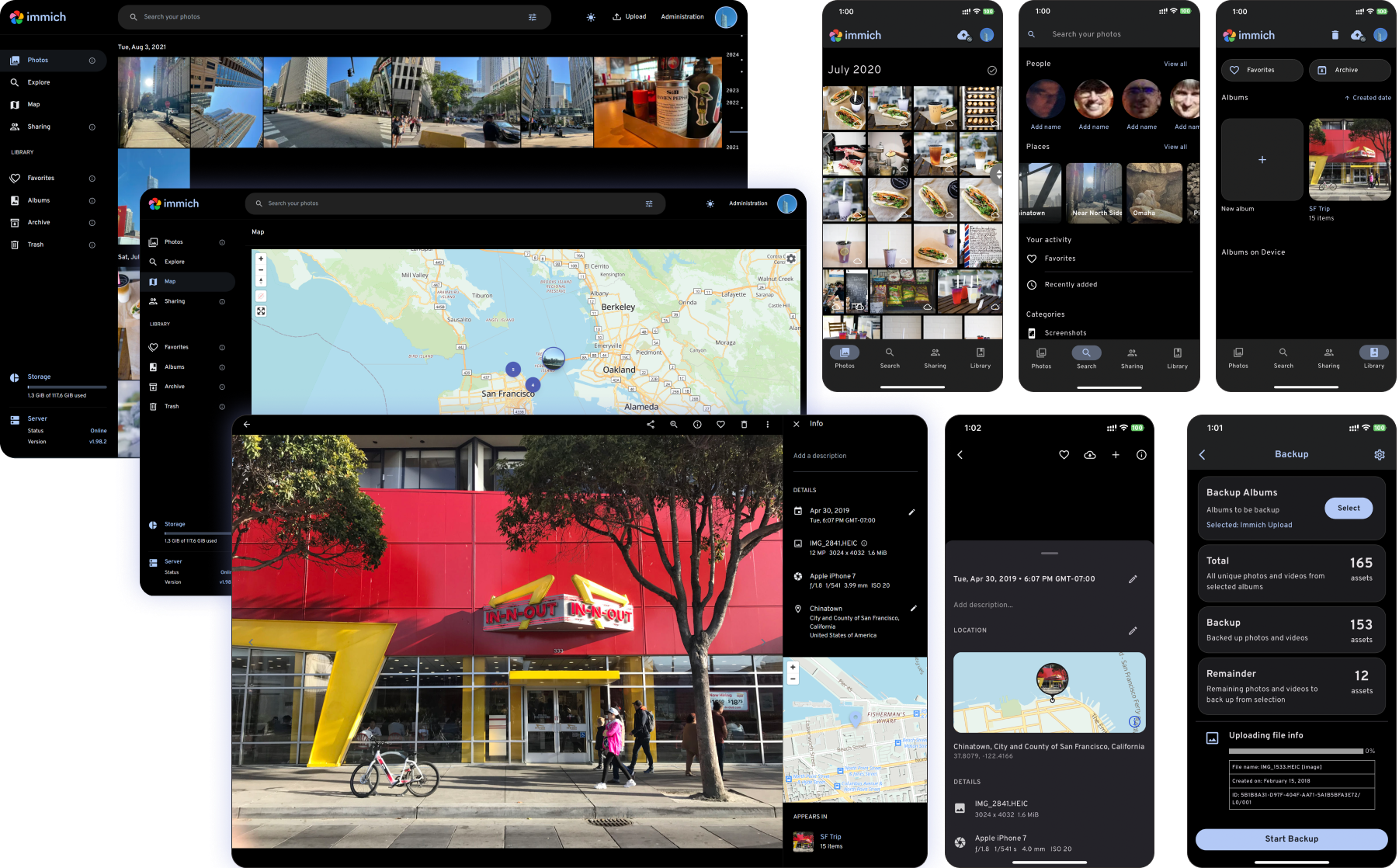
Images from the project's own README.
What it does
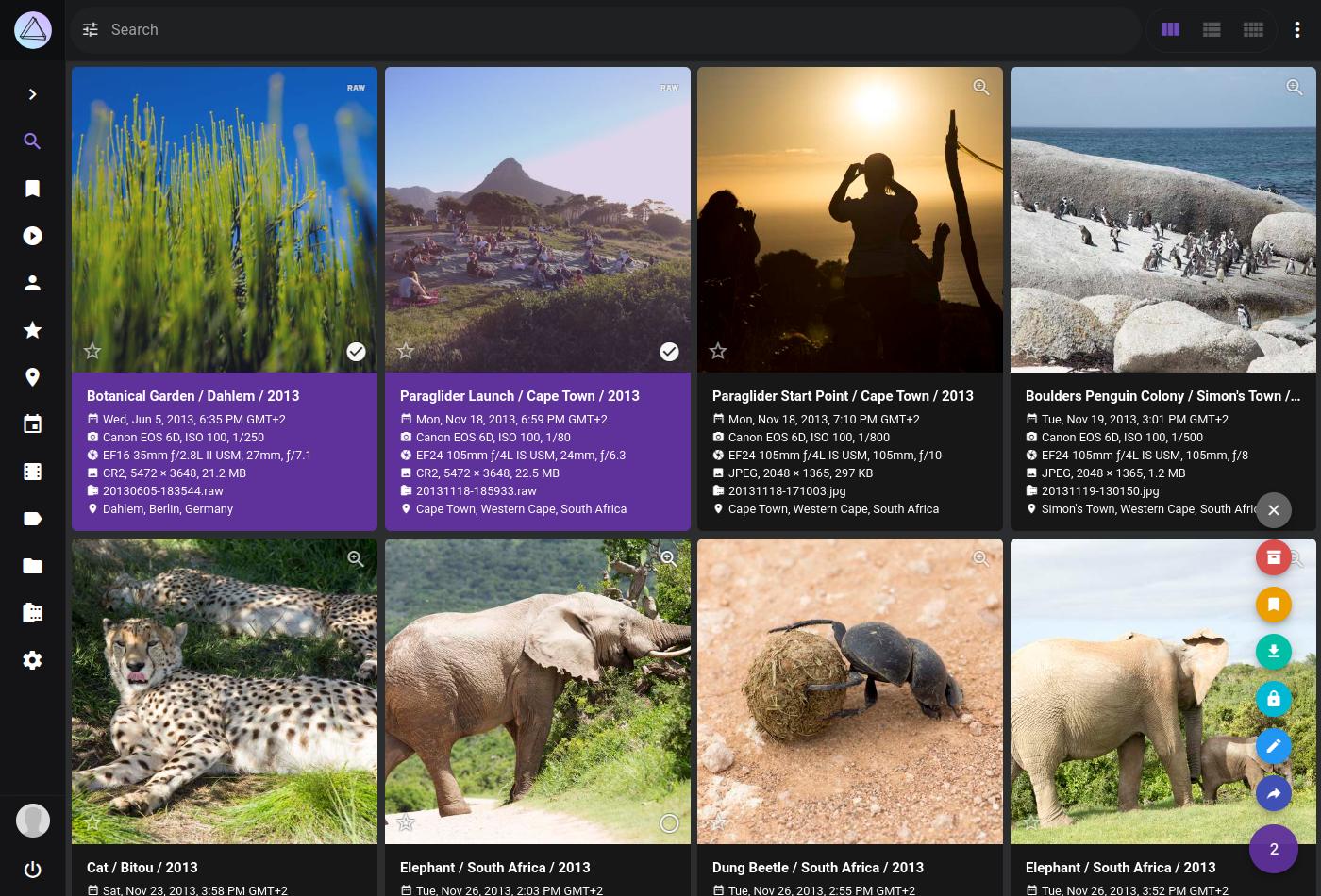
PhotoPrism is a self-hosted photo library that automatically labels and organizes your pictures so you can find them by what is in them, where they were taken, or who appears.
Who it's for
People with large photo collections who want to keep them at home.
Key features
- Automatic labelling and face recognition
- World map of your photos
- Handles RAW files and videos
Often used instead of: Google Photos, iCloud Photos
Compatibility
NOVI never presents a guess as verified.- WindowsInferred
Runs in Docker, which is available for this system. Not separately confirmed by the project for desktop use.
- macOS (Apple Silicon)Inferred
Runs in Docker, which is available for this system. Not separately confirmed by the project for desktop use.
- macOS (Intel)Inferred
Runs in Docker, which is available for this system. Not separately confirmed by the project for desktop use.
- LinuxEvidence-supported
The official release 261029-963b58c50 includes “photoprism_261029-963b58c50-linux-amd64.tar.gz”.
What do these labels mean?
- Confirmed
- NOVI users have completed verified installations on this system.
- Evidence-supported
- The project publishes an official build or package for this system.
- Inferred
- Likely to work based on how the project is built, but not confirmed.
- Unknown
- We have not found enough evidence either way.
- Unsupported
- The project does not support this system.
How to get it
Direct downloadDownload the official installer from the project or its publisher, then open it. Difficulty: Easy.
WindowsAdvanced
Self-host with Docker
For technical users: this runs the software on your own computer or server.
macOS (Apple Silicon)Advanced
Self-host with Docker
For technical users: this runs the software on your own computer or server.
macOS (Intel)Advanced
Self-host with Docker
For technical users: this runs the software on your own computer or server.
LinuxDirect download
Download from the official release
File attached to the project's official GitHub release. NOVI links to it; the file comes straight from github.com, not from NOVI. Where this link comes from
- 1
After it downloads. Open the downloaded file with your software centre, or follow the project's instructions for this file type (AppImage files need to be marked as executable first).
NOVI never installs software from your browser. Downloads come directly from the project or its publisher. Only install software you trust.
Get it working
A free, personal setup plan for your computer: the official download, exact steps, and a checklist. Saved in your dashboard, with help if you get stuck. NOVI never installs or runs anything on your computer.
Requirements
- Docker — Needed to run the project's official container images.
Cost: Free community edition; paid memberships unlock additional features.
Trust and security
- license
No verified open-source licence.
GitHub could not match this repository to a recognised open-source licence. The code is public, but you should not assume you may modify or redistribute it. Check the repository's licence terms.
Source
NOVI checks licences, maintenance activity and distribution sources. NOVI has not audited this project's code and does not certify it as secure. Only install software you trust.
Reviews
No reviews yet
Be the first to share your experience with PhotoPrism. NOVI never shows invented reviews.
Sign in to write a review.
Recent releases
From GitHub261029-963b58c50Oct 29, 2026
This [release](https://docs.photoprism.app/release-notes/#october-29-2026) upgrades PhotoPrism's [database layer](https://github.com/photoprism/photoprism/pull/4831) and introduces experimental [🐘 PostgreSQL](https://docs.photoprism.app/getting-started/advanced/migrations/postgres/) support, thanks to @keif888's hard work and numerous contributions. AI assistants and other applications can now connect via [🔐 OAuth](https://github.com/photoprism/photoprism/issues/4368) and use new [🤖 MCP](https://docs.photoprism.app/developer-guide/api/mcp/#library-tools) tools to search and browse your library. Other improvements include a new [⬇️ Export](https://github.com/photoprism/photoprism/issues/655) dialog in the photo viewer for downloading images at selected resolutions and [updated standard maps](https://github.com/photoprism/photoprism/issues/5926) in [Places](https://demo.photoprism.app/library/places), along with an enhanced [🌎 3D Earth](https://docs.photoprism.app/user-guide/organize/places/#3d-earth-view) view. This release also includes fixes for several [metadata handling](https://docs.photoprism.app/user-guide/library/metadata/) issues, as well as updates to [libheif](https:
Full release notes261007-65faaae5dOct 7, 2026
This [release](https://docs.photoprism.app/release-notes/#october-7-2026) brings major improvements to PhotoPrism's built-in AI features, including more accurate [image classification](https://docs.photoprism.app/developer-guide/vision/label-models/) and [NSFW detection](https://docs.photoprism.app/user-guide/ai/nsfw/). Image classification now takes more of the entire picture into account, improving results especially for wide photos where important visual content is not centered. If you have a supported NVIDIA graphics card, all of the built-in AI models can now [run on the GPU](https://docs.photoprism.app/user-guide/ai/gpu-acceleration/). Face recognition is easier to use, as [new clusters are named automatically](https://github.com/photoprism/photoprism/issues/5850) where possible, and [manual corrections made during recognition are better preserved](https://github.com/photoprism/photoprism/issues/5857). Insta360 users gain [support for X4 and X5 videos, proxy files, and brackets](https://github.com/photoprism/photoprism/issues/5843), along with [improved stacking](https://github.com/photoprism/photoprism/issues/5839). The update also improves [database backups](https://docs.p
Full release notes260919-28c46a116Sep 19, 2026
This [release](https://docs.photoprism.app/release-notes/#september-19-2026) introduces new detection and embedding models for face recognition: more faces are found, including small ones in group pictures, and clustering now keeps different people apart instead of grouping them as one. Existing libraries keep their current model until you run [`photoprism faces migrate`](https://docs.photoprism.app/user-guide/ai/face-recognition/#upgrading-an-existing-library), which re-embeds every face and keeps the names you have already assigned. People whose names should remain private can now be [flagged as Private or Hidden](https://docs.photoprism.app/user-guide/organize/people/#private-hidden-people) to hide their names and face regions from non-privileged accounts, while their pictures remain visible. In addition, [360° photos, videos, and fisheye DNG files from Insta360 cameras](https://github.com/photoprism/photoprism/issues/5711) can be viewed directly, [maps have moved to MapLibre GL JS v6](https://github.com/photoprism/photoprism/issues/5812), and the [default size limit has been raised to 5 GB](https://github.com/photoprism/photoprism/issues/5824) so that larger videos are indexe
Full release notes260728-bbde8f452Jul 28, 2026
With this [major new release](https://docs.photoprism.app/release-notes/#july-28-2026), [equirectangular 360° photos and videos](https://github.com/photoprism/photoprism/issues/5623) can now be explored interactively. To preserve detail when zooming in, the maximum [thumbnail and video resolution has been increased to 16K](https://github.com/photoprism/photoprism/issues/5669). A new [inline document viewer](https://github.com/photoprism/photoprism/issues/5488) makes it possible to read multi-page PDFs without downloading them first. Metadata enthusiasts benefit from enhanced XMP support, allowing GPS coordinates and face regions to be imported from both [XMP sidecar files](https://github.com/photoprism/photoprism/issues/5712) and [embedded XMP metadata](https://github.com/photoprism/photoprism/issues/5751). In addition, camera and lens make and model information can now be [edited through the CLI and API](https://github.com/photoprism/photoprism/issues/5663). Elsewhere, the Settings interface has been reorganized and now includes a dedicated Accessibility section, where you can, for example, prevent action menus from opening on hover. Album download and sorting options have moved
Full release notes260601-a7d098548Jun 1, 2026
This [service release](https://docs.photoprism.app/release-notes/#june-1-2026) includes important security and reliability updates. As an additional safety measure, indexing, importing, and uploading can be disabled when [free disk space falls below a configurable threshold](https://docs.photoprism.app/user-guide/library/originals/#free-storage-threshold) to prevent storage volumes from filling up. A special thank you to everyone who [reported bugs](https://docs.photoprism.app/developer-guide/issues/#creating-bug-reports) and helped us [test the changes](https://github.com/photoprism/photoprism/issues?q=is%3Aissue%20state%3Aopen%20label%3Aplease-test)! ️🔒🔧 #### What's new? - Index: [Optional free disk space threshold prevents storage from filling up](https://github.com/photoprism/photoprism/issues/5613) - Index: [Fixed recovery of hidden stacks whose primary image was replaced](https://github.com/photoprism/photoprism/issues/5625) - Videos: [Improved hardware transcoding setup and documentation](https://github.com/photoprism/photoprism/issues/5631) - Videos: [Fixed VAAPI transcoding for compatibility with FFmpeg 8](https://github.com/photoprism/photoprism/issues/5630) - Videos:
Full release notes
Where this information comes from
- Description, audience and features: Written by NOVI editors from the project's README and official website. link
- Statistics, licence and releases: GitHub API link
- Direct download links: Files attached to the project's official GitHub release 261029-963b58c50 link
GitHub data last refreshed 3 days ago. PhotoPrism is the property of its authors. NOVI is not affiliated with this project.