Alacritty
A fast, no-frills terminal
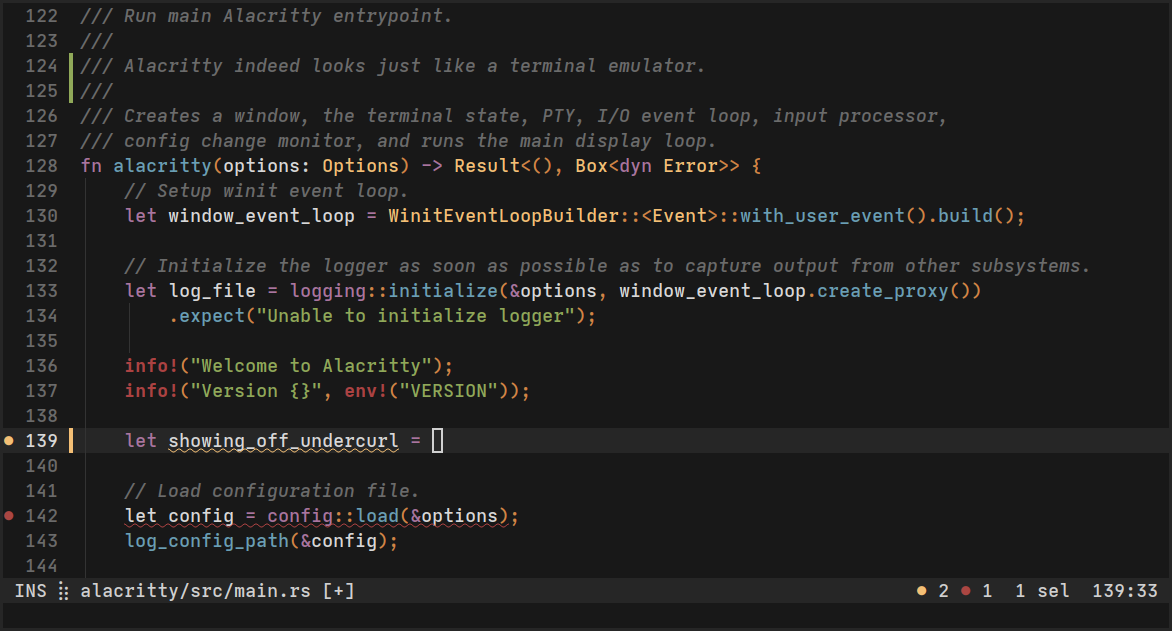
Images from the project's own README.
What it does
Alacritty is a terminal application focused on speed and simplicity. It uses your graphics card to stay responsive and is configured through a text file.
Who it's for
Developers and power users who spend a lot of time in the terminal.
Key features
- Very fast rendering
- Works the same on every system
- Simple text-file configuration
Often used instead of: iTerm2, Windows Terminal
Compatibility
NOVI never presents a guess as verified.- WindowsEvidence-supported
Available as an official WinGet package (“Alacritty.Alacritty”).
- macOS (Apple Silicon)Evidence-supported
The official release v0.17.0 includes “Alacritty-v0.17.0.dmg”.
- macOS (Intel)Evidence-supported
The official release v0.17.0 includes “Alacritty-v0.17.0.dmg”.
- LinuxUnknown
No official build, package or documentation for this system was found.
What do these labels mean?
- Confirmed
- NOVI users have completed verified installations on this system.
- Evidence-supported
- The project publishes an official build or package for this system.
- Inferred
- Likely to work based on how the project is built, but not confirmed.
- Unknown
- We have not found enough evidence either way.
- Unsupported
- The project does not support this system.
How to get it
Direct downloadDownload the official installer from the project or its publisher, then open it. Difficulty: Moderate.
WindowsDirect downloadGuided
Download from the official release
File attached to the project's official GitHub release. NOVI links to it; the file comes straight from github.com, not from NOVI. Where this link comes from
- 1
After it downloads. Open the downloaded file (usually in your Downloads folder) and follow the installer. If Windows SmartScreen warns you, check that the file came from the address shown above before choosing to run it.
Install with WinGet
Installs Windows applications using WinGet, Microsoft's package manager included with Windows 10 and 11. You run these steps yourself; NOVI does not install anything from this website.
- 1
Open Windows Terminal or PowerShell. Right-click the Start button and choose Terminal. WinGet is included with Windows 10 (recent updates) and Windows 11; type “winget --version” to check.
- 2
Copy this command and press Enter. It installs the package from Microsoft's official WinGet catalogue. Windows may ask for administrator approval for some installers; only approve it if you trust this software.
winget install --id Alacritty.Alacritty --exact --source winget --accept-package-agreements --accept-source-agreements - 3
Check it worked. The app appears in your Start menu. This command lists it as installed:
winget list --id Alacritty.Alacritty --exact --source winget - 4
See the official package listing. Shows the publisher's installer that WinGet downloads. Open
macOS (Apple Silicon)Direct download
Download from the official release
File attached to the project's official GitHub release. NOVI links to it; the file comes straight from github.com, not from NOVI. Where this link comes from
- 1
After it downloads. Open the downloaded file from your Downloads folder. For a .dmg, drag the app into Applications; for a .zip, double-click to unpack it, then move the app into Applications. The first time you open it, macOS may ask you to confirm.
macOS (Intel)Direct download
Download from the official release
File attached to the project's official GitHub release. NOVI links to it; the file comes straight from github.com, not from NOVI. Where this link comes from
- 1
After it downloads. Open the downloaded file from your Downloads folder. For a .dmg, drag the app into Applications; for a .zip, double-click to unpack it, then move the app into Applications. The first time you open it, macOS may ask you to confirm.
NOVI never installs software from your browser. Downloads come directly from the project or its publisher. Only install software you trust.
Get it working
A free, personal setup plan for your computer: the official download, exact steps, and a checklist. Saved in your dashboard, with help if you get stuck. NOVI never installs or runs anything on your computer.
Requirements
- WinGet for automatic install — Installs Windows applications using WinGet, Microsoft's package manager included with Windows 10 and 11. The NOVI companion checks whether it is present.
Trust and security
- license
Published under the Apache License 2.0 (Apache-2.0).
Licence detected by GitHub from the repository's licence file. Read the full licence before modifying or redistributing.
Source - distribution
Distributed through WinGet, an established package source.
The package manager checks downloads against a published checksum before installing.
Source
NOVI checks licences, maintenance activity and distribution sources. NOVI has not audited this project's code and does not certify it as secure. Only install software you trust.
Reviews
No reviews yet
Be the first to share your experience with Alacritty. NOVI never shows invented reviews.
Sign in to write a review.
Recent releases
From GitHubv0.17.0Apr 6, 2026
### Packaging - Fixed invalid logo SVG attributes - New `alacritty-escapes(7)` manpage - Removed broken flash capability from terminfo ### Added - Ability to bind `WheelUp` and `WheelDown` in `mouse.bindings` - Support TOML 1.1 syntax - `window.resize_increments` support on Wayland ### Changed - Don't highlight hints on hover when the mouse cursor is hidden - IME is disabled in Vi mode on X11 - Require explicit tap to enable IME with touch input - Use built-in font for block elements symbols from `U+1FB82` to `U+1FB8B` ### Fixed - Brief error popup when saving the config file with some editors - Subprocesses on OpenBSD now run with their CWD set to that of the shell's foreground process. - Crash when OpenGL context resets - Crash when committing text with some IMEs on macOS - Signal termination skipping resource cleanup
Full release notesv0.17.0-rc2Pre-releaseApr 2, 2026
No release notes were published.
Full release notesv0.17.0-rc1Pre-releaseMar 21, 2026
### Packaging - Fixed invalid logo SVG attributes - New `alacritty-escapes(7)` manpage - Removed broken flash capability from terminfo ### Added - Ability to bind `WheelUp` and `WheelDown` in `mouse.bindings` - Support TOML 1.1 syntax - `window.resize_increments` support on Wayland ### Changed - Don't highlight hints on hover when the mouse cursor is hidden - IME is disabled in Vi mode on X11 - Require explicit tap to enable IME with touch input - Use built-in font for block elements symbols from `U+1FB82` to `U+1FB8B` ### Fixed - Brief error popup when saving the config file with some editors - Subprocesses on OpenBSD now run with their CWD set to that of the shell's foreground process. - Crash when OpenGL context resets - Crash when committing text with some IMEs on macOS - Signal termination skipping resource cleanup
Full release notesv0.16.1Oct 20, 2025
### Fixed - Crashes on GPUs with partial robustness support
Full release notesv0.16.0Oct 18, 2025
### Packaging - Minimum Rust version has been bumped to 1.85.0 ### Added - Vi motions `*`, `#`, `{`, and `}` - IPC config retrieval using `alacritty msg get-config` - Multi-sequence touch zoom sequences - Vi action `Y` keybind, yank to the end of line - Add `/etc/alacritty/alacritty.toml` fallback for system wide configuration - Unicode 17 support ### Changed - Hide login message if `~/.hushlogin` is present - Improve rendering of rounded corners with builtin box drawing ### Fixed - Crash when OpenGL context resets - Modifier keys clearing selection with kitty keyboard protocol enabled - `glyph_offset.y` not applied to strikeout - `Enter`,`Tab`, `Backspace` not disambiguated with `shift` in kitty keyboard's disambiguate mode - Hint bindings not respecting IPC overrides - Search matching a wrapping fullwidth character in the last column - Crash when `AppleFontSmoothing` option is not present on macOS - Origin mode (DECOM) not moving cursor to the origin point - Unresponsiveness when spamming the bell character with a bell command enabled - `window.startup_mode` applied to existing window when opening a new tab on macOS - Slowdowns over time on macOS 26
Full release notes
Where this information comes from
- Description, audience and features: Written by NOVI editors from the project's README and official website. link
- Statistics, licence and releases: GitHub API link
- Available through WinGet: Official package registry link
- Direct download links: Files attached to the project's official GitHub release v0.17.0 link
GitHub data last refreshed 3 days ago. Alacritty is the property of its authors. NOVI is not affiliated with this project.