Nextcloud
Your own private cloud for files, calendars and more
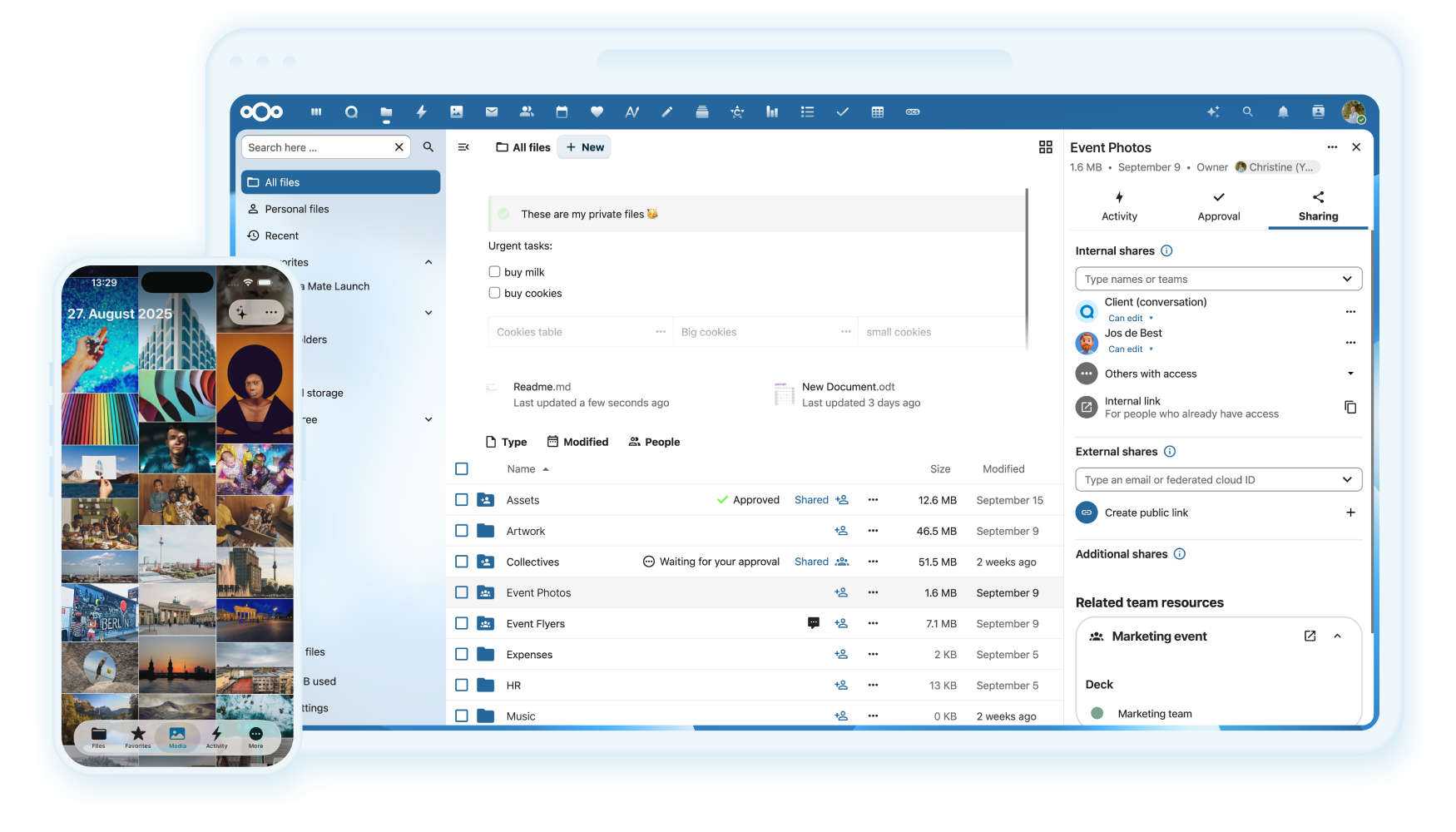
Images from the project's own README.
What it does
Nextcloud is a self-hosted alternative to services like Google Drive. It stores and syncs your files, calendars and contacts, and adds document editing and video calls through apps.
Who it's for
Households and organizations that want cloud convenience with their data on their own server.
Key features
- File sync and sharing
- Calendar, contacts and notes
- Online document editing
Often used instead of: Google Drive, Dropbox, Microsoft 365, Google Workspace
Compatibility
NOVI never presents a guess as verified.- WindowsInferred
Runs in Docker, which is available for this system. Not separately confirmed by the project for desktop use.
- macOS (Apple Silicon)Inferred
Runs in Docker, which is available for this system. Not separately confirmed by the project for desktop use.
- macOS (Intel)Inferred
Runs in Docker, which is available for this system. Not separately confirmed by the project for desktop use.
- LinuxEvidence-supported
The project documents a Docker-based installation for Linux servers.
What do these labels mean?
- Confirmed
- NOVI users have completed verified installations on this system.
- Evidence-supported
- The project publishes an official build or package for this system.
- Inferred
- Likely to work based on how the project is built, but not confirmed.
- Unknown
- We have not found enough evidence either way.
- Unsupported
- The project does not support this system.
How to get it
Guided installationNOVI walks you through the official installation steps, one at a time. Difficulty: Advanced.
WindowsAdvanced
Self-host with Docker
For technical users: this runs the software on your own computer or server.
macOS (Apple Silicon)Advanced
Self-host with Docker
For technical users: this runs the software on your own computer or server.
macOS (Intel)Advanced
Self-host with Docker
For technical users: this runs the software on your own computer or server.
LinuxAdvanced
Self-host with Docker
For technical users: this runs the software on your own computer or server.
NOVI never installs software from your browser. Downloads come directly from the project or its publisher. Only install software you trust.
Get it working
A free, personal setup plan for your computer: the official download, exact steps, and a checklist. Saved in your dashboard, with help if you get stuck. NOVI never installs or runs anything on your computer.
Requirements
- Docker — Needed to run the project's official container images.
Cost: Free to self-host; paid enterprise support exists.
Trust and security
- license
Published under the GNU Affero General Public License v3.0 (AGPL-3.0).
Licence detected by GitHub from the repository's licence file. Read the full licence before modifying or redistributing.
Source
NOVI checks licences, maintenance activity and distribution sources. NOVI has not audited this project's code and does not certify it as secure. Only install software you trust.
Reviews
No reviews yet
Be the first to share your experience with Nextcloud. NOVI never shows invented reviews.
Sign in to write a review.
Recent releases
From GitHubv33.0.11Nov 12, 2026
https://github.com/nextcloud-releases/server/releases/tag/v33.0.11
Full release notesv34.0.6Nov 12, 2026
https://github.com/nextcloud-releases/server/releases/tag/v34.0.6
Full release notesv35.0.3Nov 12, 2026
https://github.com/nextcloud-releases/server/releases/tag/v35.0.3
Full release notesv33.0.11rc2Pre-releaseNov 10, 2026
https://github.com/nextcloud-releases/server/releases/tag/v33.0.11rc2
Full release notesv34.0.6rc2Pre-releaseNov 10, 2026
https://github.com/nextcloud-releases/server/releases/tag/v34.0.6rc2
Full release notes
Where this information comes from
- Description, audience and features: Written by NOVI editors from the project's README and official website. link
- Statistics, licence and releases: GitHub API link
GitHub data last refreshed 3 days ago. Nextcloud is the property of its authors. NOVI is not affiliated with this project.