
AnythingLLM
Chat with your documents using the AI model of your choice
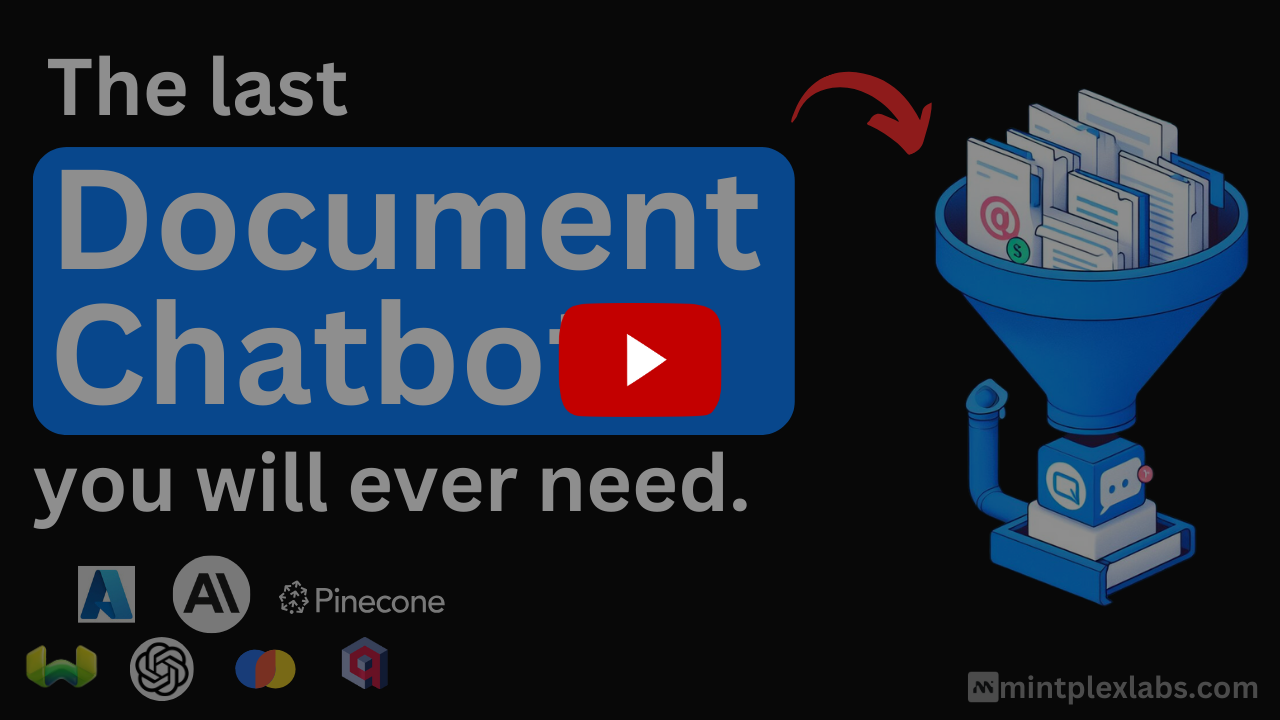
Images from the project's own README.
What it does
AnythingLLM turns your PDFs, notes and web pages into a private knowledge base you can ask questions about. It works with local AI models or with online AI services.
Who it's for
Students, researchers and small teams who want answers from their own files.
Key features
- Ask questions about your documents
- Works with local or online AI models
- Organize material into separate workspaces
Often used instead of: NotebookLM, ChatGPT
Compatibility
NOVI never presents a guess as verified.- WindowsEvidence-supported
The official release v1.19.0 includes “AnythingLLMDesktop-Arm64.exe”.
- macOS (Apple Silicon)Evidence-supported
Available as an official Homebrew Cask package (“anythingllm”).
- macOS (Intel)Evidence-supported
Available as an official Homebrew Cask package (“anythingllm”).
- LinuxEvidence-supported
The official release v1.19.0 includes “AnythingLLMDesktop-Arm64.AppImage”.
What do these labels mean?
- Confirmed
- NOVI users have completed verified installations on this system.
- Evidence-supported
- The project publishes an official build or package for this system.
- Inferred
- Likely to work based on how the project is built, but not confirmed.
- Unknown
- We have not found enough evidence either way.
- Unsupported
- The project does not support this system.
How to get it
Direct downloadDownload the official installer from the project or its publisher, then open it. Difficulty: Easy.
WindowsDirect download
Download from the official release
File attached to the project's official GitHub release. NOVI links to it; the file comes straight from github.com, not from NOVI. Where this link comes from
- 1
After it downloads. Open the downloaded file (usually in your Downloads folder) and follow the installer. If Windows SmartScreen warns you, check that the file came from the address shown above before choosing to run it.
macOS (Apple Silicon)Direct downloadGuided
Download from the official release
File attached to the project's official GitHub release. NOVI links to it; the file comes straight from github.com, not from NOVI. Where this link comes from
- 1
After it downloads. Open the downloaded file from your Downloads folder. For a .dmg, drag the app into Applications; for a .zip, double-click to unpack it, then move the app into Applications. The first time you open it, macOS may ask you to confirm.
Install with Homebrew Cask
Installs macOS applications using Homebrew, a widely used package manager for macOS. You run these steps yourself; NOVI does not install anything from this website.
- 1
Make sure Homebrew is installed. Homebrew is a free, widely used tool for installing software on a Mac. Open the Terminal app and type “brew --version”. If you see a version number you already have it; otherwise follow the one-line instructions on brew.sh. Open
- 2
Copy this command into Terminal and press Return. It installs the package from Homebrew's official catalogue only. Homebrew checks the download against a known checksum.
brew install --cask homebrew/cask/anythingllm - 3
Check it worked. The app appears in your Applications folder. You can also run this command to see the installed version:
brew list --cask --versions anythingllm - 4
See the official package listing. Shows exactly what Homebrew installs and where it comes from. Open
macOS (Intel)Direct downloadGuided
Download from the official release
File attached to the project's official GitHub release. NOVI links to it; the file comes straight from github.com, not from NOVI. Where this link comes from
- 1
After it downloads. Open the downloaded file from your Downloads folder. For a .dmg, drag the app into Applications; for a .zip, double-click to unpack it, then move the app into Applications. The first time you open it, macOS may ask you to confirm.
Install with Homebrew Cask
Installs macOS applications using Homebrew, a widely used package manager for macOS. You run these steps yourself; NOVI does not install anything from this website.
- 1
Make sure Homebrew is installed. Homebrew is a free, widely used tool for installing software on a Mac. Open the Terminal app and type “brew --version”. If you see a version number you already have it; otherwise follow the one-line instructions on brew.sh. Open
- 2
Copy this command into Terminal and press Return. It installs the package from Homebrew's official catalogue only. Homebrew checks the download against a known checksum.
brew install --cask homebrew/cask/anythingllm - 3
Check it worked. The app appears in your Applications folder. You can also run this command to see the installed version:
brew list --cask --versions anythingllm - 4
See the official package listing. Shows exactly what Homebrew installs and where it comes from. Open
LinuxDirect download
Download from the official release
File attached to the project's official GitHub release. NOVI links to it; the file comes straight from github.com, not from NOVI. Where this link comes from
- 1
After it downloads. Open the downloaded file with your software centre, or follow the project's instructions for this file type (AppImage files need to be marked as executable first).
NOVI never installs software from your browser. Downloads come directly from the project or its publisher. Only install software you trust.
Get it working
A free, personal setup plan for your computer: the official download, exact steps, and a checklist. Saved in your dashboard, with help if you get stuck. NOVI never installs or runs anything on your computer.
Requirements
- Homebrew Cask for automatic install — Installs macOS applications using Homebrew, a widely used package manager for macOS. The NOVI companion checks whether it is present.
Cost: The desktop app is free. A paid hosted cloud version is offered separately by the developers.
Trust and security
- license
Published under the MIT License (MIT).
Licence detected by GitHub from the repository's licence file. Read the full licence before modifying or redistributing.
Source - distribution
Distributed through Homebrew Cask, an established package source.
The package manager checks downloads against a published checksum before installing.
Source
NOVI checks licences, maintenance activity and distribution sources. NOVI has not audited this project's code and does not certify it as secure. Only install software you trust.
Reviews
No reviews yet
Be the first to share your experience with AnythingLLM. NOVI never shows invented reviews.
Sign in to write a review.
Recent releases
From GitHubv1.19.0Oct 26, 2026
### Built-in LLM for Docker <img width="3680" height="2212" alt="AnythingLLM Docker built-in LLM powered by Lemonade and llama.cpp" src="https://github.com/user-attachments/assets/410b5784-ca15-4027-a1c4-056d9d5c748e" /> AnythingLLM Docker now has a default local LLM experience right out of the box. The same kind of built-in engine that ships with [AnythingLLM Desktop](https://docs.anythingllm.com/setup/llm-configuration/local/built-in) can now run **inside the container**: [Lemonade](https://lemonade-server.ai), the fully [open-source](https://github.com/lemonade-sdk/lemonade) local inference server from AMD, running your models with [llama.cpp](https://github.com/ggml-org/llama.cpp). You no longer need to run Ollama, LM Studio or any other inference server next to AnythingLLM. Pass your GPU into the container and the engine is accelerated on whatever hardware you have. It picks the fastest backend automatically: CUDA for NVIDIA GPUs, Vulkan for AMD and Intel GPUs, or the CPU. It runs on both `amd64` and `arm64` hosts. When it's turned on, **Built-in** becomes the default LLM provider during onboarding, with three models recommended for your hardware. You can download any model
Full release notesv1.18.0Oct 13, 2026
## What's Changed * fix: point k8s probes at the server's /api/ping by @u00dxk2 in https://github.com/Mintplex-Labs/anything-llm/pull/6592 * fix: don't crash when removing a parsed file while an image is attached by @marmar9615-cloud in https://github.com/Mintplex-Labs/anything-llm/pull/6585 * fix: open the clicked image when attachments share a file name by @marmar9615-cloud in https://github.com/Mintplex-Labs/anything-llm/pull/6586 * fix: stop sending history attachments to providers that build prompts from raw chat history by @simonether in https://github.com/Mintplex-Labs/anything-llm/pull/6591 * fix: compare embed allowlist entries as browser origins by @marmar9615-cloud in https://github.com/Mintplex-Labs/anything-llm/pull/6584 * add dismissal comment to prevent low-effort research claims by @timothycarambat in https://github.com/Mintplex-Labs/anything-llm/pull/6608 * fix: send agent tool required params on every provider path by @wenqiw777 in https://github.com/Mintplex-Labs/anything-llm/pull/6595 * fix: honor the SDK retry count when ANYTHINGLLM_MAX_RETRIES is set by @marmar9615-cloud in https://github.com/Mintplex-Labs/anything-llm/pull/6597 * fix: save the Outlook accoun
Full release notesv1.17.0Oct 1, 2026
## What's Changed * fix(collector): read spreadsheet dates as dates, not serial numbers by @L4XB in https://github.com/Mintplex-Labs/anything-llm/pull/6478 * Drop temp param for Anthropic models by @shatfield4 in https://github.com/Mintplex-Labs/anything-llm/pull/6472 * Allow Generic OpenAI max tokens of 0 to omit max_tokens from request by @shatfield4 in https://github.com/Mintplex-Labs/anything-llm/pull/6470 * fix: support SearchApi engines in agent web browsing by @evilive3000 in https://github.com/Mintplex-Labs/anything-llm/pull/6465 * fix: ignore malformed agent WebSocket frames instead of crashing the server by @timothycarambat in https://github.com/Mintplex-Labs/anything-llm/pull/6493 * fix(collector): read an HTML-only mbox message instead of skipping it by @L4XB in https://github.com/Mintplex-Labs/anything-llm/pull/6484 * fix(collector): read text uploads in the encoding they were written in by @L4XB in https://github.com/Mintplex-Labs/anything-llm/pull/6486 * fix(weaviate, astra): score chunks by cosine similarity like the other providers by @L4XB in https://github.com/Mintplex-Labs/anything-llm/pull/6488 * fix(bedrock): support OpenAI models on AWS by @hahahahahayesyesey
Full release notesv1.16.2Sep 22, 2026
## New Features - [x] [LLMman - OSS](https://github.com/llmmanorg/llmman) is now available as a local LLM provider, replacing Docker Model Runner - [x] [Google Vertex AI](https://cloud.google.com/products/gemini-enterprise-agent-platform) is now available as an LLM provider - [x] New `generate-image` agent skill for creating images from chat - [x] You.com is now the default web search provider for richer web-searches with Zero Data Retention - [x] Agent flow variables now support optional arguments - [x] Hindi, Bulgarian, and Swedish language support added - [x] GenieX on Windows on ARM now lists models found in your local model directory and lets you pull models directly from Hugging Face in the UI - [x] Click the version tag in the top of the window to jump to your logs and storage directory more easily ## Improvements - [x] Web browsing is now enabled by default for agents - [x] Local providers now report model loading status in chat so you know why the first response is slow - [x] Ollama runtime bumped to 0.33.3 with an updated bundled model list - [x] Removed the borders around the main content area for a cleaner desktop layout - [x] Redesigned the "new feature" modal layou
Full release notesv1.16.1Aug 27, 2026
### Activity and Chain of Thought Overhaul <img width="3680" height="2212" alt="image" src="https://github.com/user-attachments/assets/34e52190-51e3-40b5-baeb-d1936319cb4a" /> We overhauled our UI for long-horizon agentic tasks that show multiple thinking and tool calls to now roll up into a single clean, collapsible UI element. This gives you more screen real estate for the actual response while still keeping the important call stack and thoughts the model produces in an easy-to-read format. ### Navigation Warning <img width="3680" height="2212" alt="image" src="https://github.com/user-attachments/assets/dfa98c30-4bde-4321-86cc-eb0bcd7b9873" /> Recently, we added true abort signals across every supported LLM so that when you cancel inference or leave the page, we stop inference to save you on compute costs. However, this had the unintended side effect of canceling inference when navigating away from a chat, preventing background completion. Now we warn you before aborting the response. **Roadmap item:** We intend to make this user configurable so you can customize this behavior and allow background inference for those with more powerful or high-concurrency setups where mult
Full release notes
Where this information comes from
- Description, audience and features: Written by NOVI editors from the project's README and official website. link
- Statistics, licence and releases: GitHub API link
- Available through Homebrew Cask: Official package registry link
- Direct download links: Files attached to the project's official GitHub release v1.19.0 link
GitHub data last refreshed 3 days ago. AnythingLLM is the property of its authors. NOVI is not affiliated with this project.


